
Let's play a quick game.
Open Google right now and search your own business name. What comes up? Is it accurate? Does it have photos? Or does it look like it's closed on Sundays, run by a ghost, and last updated in 2019?
If that last one hit a little close to home, don't worry, we've all been there. As a fellow business owner, I know you've been busy actually running your business. But here's the thing: while you're flipping tables, cutting hair, or filling that cavity, potential customers nearby are Googling businesses exactly like yours. And the one with the best looking profile? That's who gets the call.
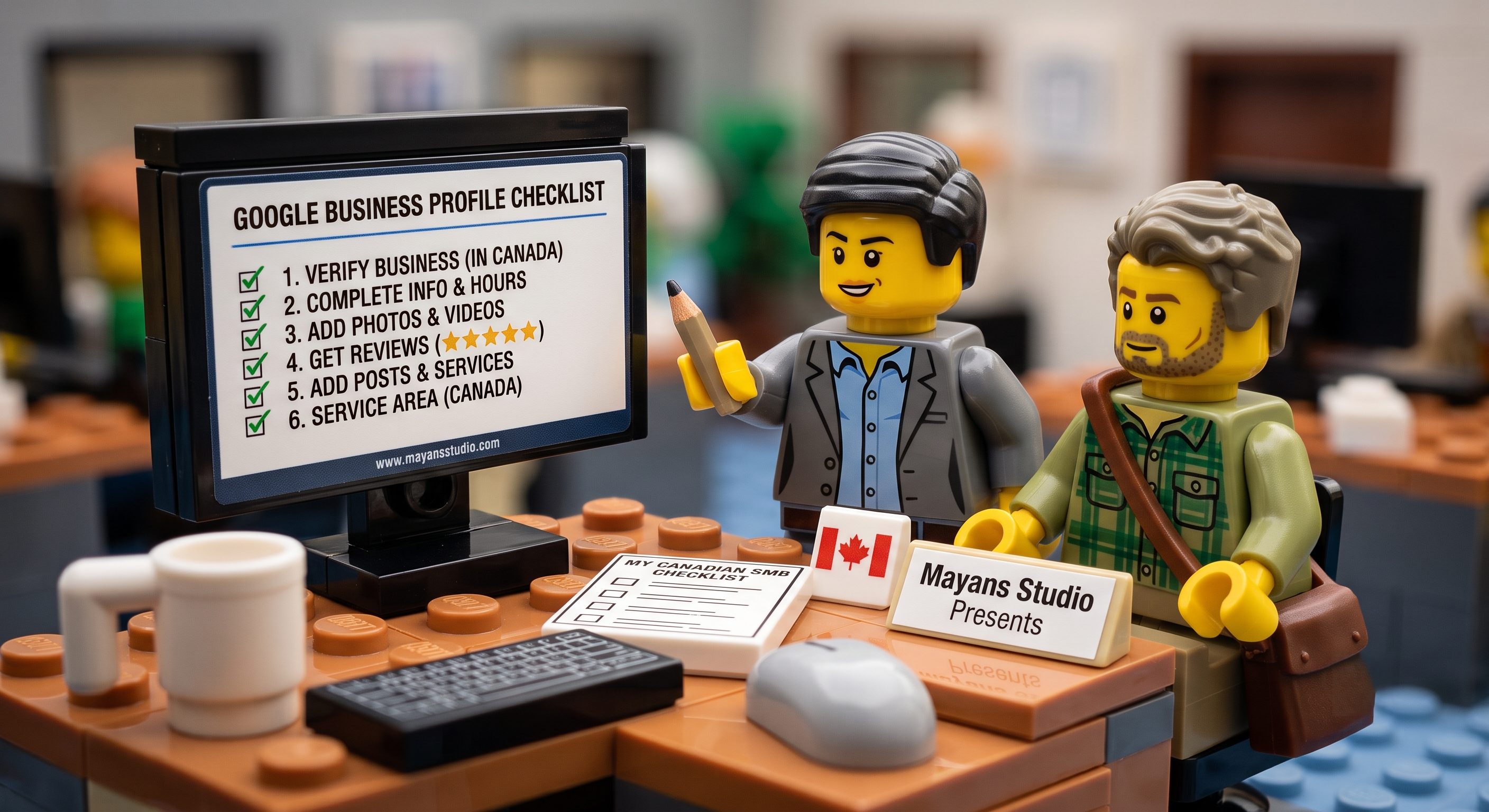
The good news: fixing it costs exactly $0 and takes less than an afternoon. Here's the complete checklist.
First, What Even Is a Google Business Profile?
It's that card that pops up on the right side of Google (or the top on your phone) when someone searches for a business, complete with name, address, hours, photos, reviews, and directions. If you've ever Googled "dentist near me" or "best ramen Vancouver" and tapped a result, you've used someone's Google Business Profile.
Think of it as your free digital shopfront on the world's busiest street. Right now, for a lot of Vancouver small businesses, that shopfront has a broken sign, zero photos, and hours from a business that might not technically exist anymore.
Let's fix yours.
Step 1: Claim Your Profile
Go to google.com/business and search your business name. There's a decent chance Google already made a basic listing for you, cobbled together from various corners of the internet like a well-meaning but slightly unreliable friend who keeps getting the details wrong.
Claim it. Verify it. Take control. Verification usually takes a few days via video, phone, or email, and Google walks you through it.
If nothing shows up, create one from scratch. It takes about 20 minutes and is genuinely one of the highest-return things you'll do for your business this year.
Step 2: Pick the Right Category
Your category tells Google what kind of business you are, and Google uses it to decide who sees you.
"Restaurant" is fine. "Japanese restaurant" is better. "Ramen restaurant in East Vancouver" is the sweet spot. (In case you hadn't guessed, I'm a big foodie.)
Add secondary categories for every service, cuisine, or treatment you offer. More categories, more chances to show up. Don't leave these blank.
Step 3: Write a Description That Sounds Like You
You get 750 characters. Write it like you're telling a friend what you do over coffee, NOT like you're explaining it to your accountant.
Mention what makes you different, your neighbourhood, and who you love working with. Real details make people feel like they already know you before they walk in.
What to avoid: keyword-stuffing because your cousin read a blog post once. "Best dentist Vancouver dental clinic teeth cleaning Vancouver BC dentist near me" fools no one, not Google, and definitely not humans.
Step 4: Add Photos. Then Add More Photos.
Businesses with photos get dramatically more clicks than those without. Not a little more. A lot more. (It's basically the entire reason Instagram exists.)
Add photos of:
The outside of your space, so people can actually find you
The inside, so people feel comfortable before they arrive, especially important for clinics, salons, and restaurants
Your team, because smiling humans beat an empty room every time
Your actual work: food, haircuts, before-and-afters, whatever fits
Step 5: Set Your Hours Accurately (We're Begging You)
Nothing frustrates a customer more than showing up somewhere Google swore was open, only to find a locked door and a handwritten "Back soon" note.
Update your regular hours, set holiday hours, and note that early Wednesday close for staff meetings. Five minutes now saves a customer from standing in the Vancouver rain feeling personally betrayed.
Step 6: Don't Skip Products and Services
Most owners skip this section entirely. Don't be most owners. It's a free, always-on menu Google uses to match your profile with searchers.
Spa? List every treatment. Bakery? List custom cakes. Physio clinic? List every condition you treat. Every item is another chance to be found.
Step 7: Turn On Messaging
Google lets customers message you directly from your profile. Turn it on, and reply quickly. A fast reply is the digital equivalent of someone walking into your shop and you actually looking up from your phone.
Also, check your Q&A section now and then. Anyone can post a question there, and anyone (including strangers who've never set foot in your business) can answer it. Claim the answers yourself before misinformation becomes your unofficial FAQ.
Step 8: Ask for Reviews, and Actually Respond
Google reviews are one of your strongest local ranking signals. The more genuine, recent reviews you have, the more likely Google surfaces your profile to nearby searchers. (Check out my guide on how to ask for reviews without making it weird.)
For now, one rule: respond to every review within 48 hours. Thank happy customers warmly, address unhappy ones calmly. Future customers judge less on the complaint and more on how you handled it.
Your Monthly 10-Minute Tune-Up
Here's the plot twist: 7 out of these 8 steps are one-time tasks. Once your profile is set up properly, it only needs a quick check every two weeks:
Post a Google Business update (new dish, offer, or staff member, basically a mini social post right on Google)
Add one new photo
Check and respond to new reviews
Confirm your hours are still accurate
Skim your Q&A for anything needing an answer
Ten minutes. That's one episode of whatever you're watching, divided by two. Totally doable.
Most Canadian small businesses haven't done even half of these steps, so doing all of them puts you noticeably ahead of your neighbours, for $0. That's a pretty good deal for a Friday afternoon.